
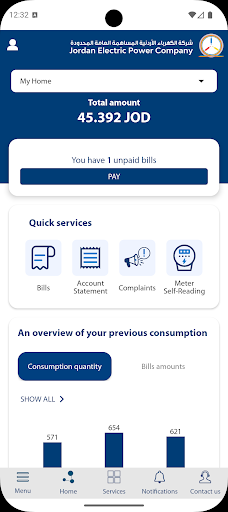
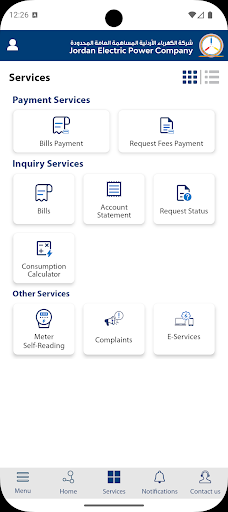
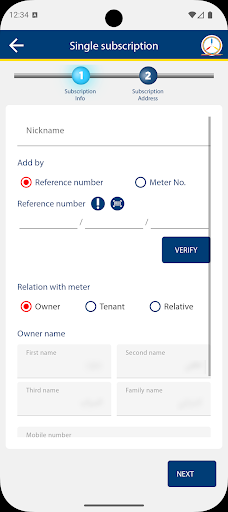
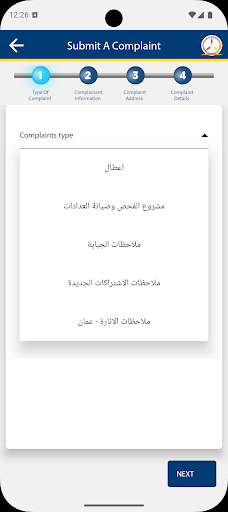
The JEPCO Customer Services app provides a direct channel for JEPCO clients to manage their electricity accounts and interact with the utility provider. Users can create a personal profile to manage multiple sub-accounts or subscriptions, including adding new ones by scanning an invoice barcode. The app facilitates various account management tasks, from viewing past notifications and inquiring about invoices to submitting meter readings and tracking electricity consumption.
Account Management and Invoicing
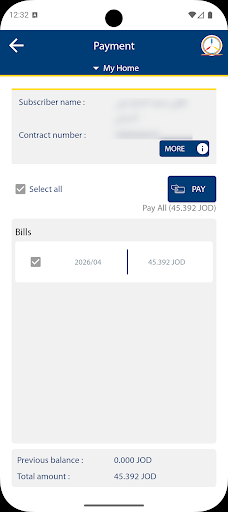
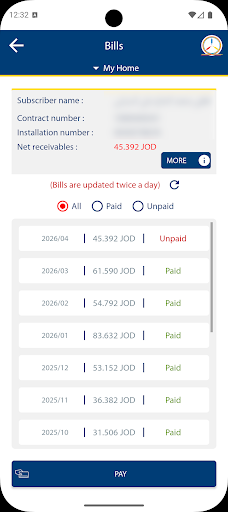
The app allows clients to create a personal profile and manage multiple sub-accounts or subscriptions. A key feature is the ability to add a new sub-account by scanning an invoice or bill barcode. Users can inquire about invoices, moving between sub-accounts, refreshing to get the latest status, and viewing full invoice details. The app also supports invoice presentment directly from the details page. For financial management, the Account statement feature enables clients to view all due invoices and their total receivable balance. When paying at JEPCO offices, the app can generate a barcode for a single invoice or all due invoices, which JEPCO cashiers can scan directly.
Meter Reading and Consumption Tracking
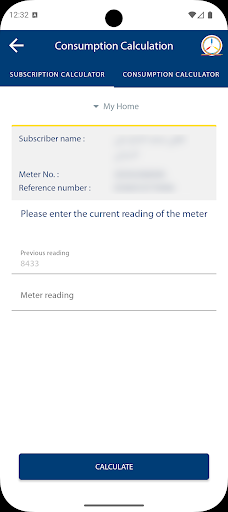
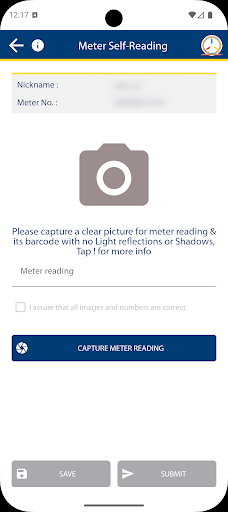
Clients can utilize the Meter Self-reading feature to submit their meter readings. The app indicates when a meter is ready to be read, when it has already been read within the authorized period, and the upcoming reading date. Users can take and submit a photo of their meter along with the reading, which JEPCO uses to issue new invoices. Additionally, the app maintains a Meter Self-Read Archive, allowing clients to view images of their meter readings from up to three previous months, provided they used the self-reading feature. The app also includes a Consumption calculation tool, offering a consumption calculator for simulation purposes.
Electricity Usage Monitoring
Recent updates to the app introduced enhanced tools for tracking and managing electricity consumption. Users can monitor and manage their electricity usage by tracking daily and total consumption. Interactive charts display consumption trends, and a Consumption Comparison feature allows users to compare their current usage with the previous month. To help control usage, clients can set a bill or usage limit within the app and receive notifications when these limits are approached or reached.
Direct Communication and Notifications
The app serves as a communication hub, allowing clients to receive various types of push notifications, such as alerts for meter reading dates, newly issued invoices, or payment confirmations. Users can review all previous notifications sent to them by accessing the bell icon at the top of the main menu. For direct support, the app provides access to all important JEPCO contact information, including shortcuts for contacting JEPCO support via email and direct phone calls.






Write a review